

Description
Are you watching a stream, or producing one?
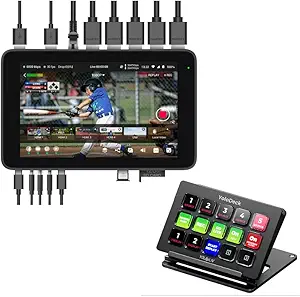
The first thing to say about the YoloBox Ultra is that it is not what most people mean by a streaming device. It does not connect to a television so you can watch something. It is a live production unit: a video switcher, a monitor, an encoder and a recorder in one box, aimed at the person standing behind the cameras rather than the person on the sofa.
That distinction matters because this product is filed alongside consumer streaming boxes, and anyone shopping for something to plug into a television should stop here and look elsewhere. If, on the other hand, you are broadcasting a church service, a school sports fixture, a wedding or a conference, this is a category of equipment that replaces a laptop, a capture card, a switcher, a monitor and a bag of cables with a single object you can carry in one hand.
The setting YOLOLIV names is exactly that: sports, weddings and church. Those three share a profile. They happen away from a studio, they need more than one camera angle, they have no technical crew, and they need to go out live rather than being edited afterwards.
The input count and the connectivity options are what decide this
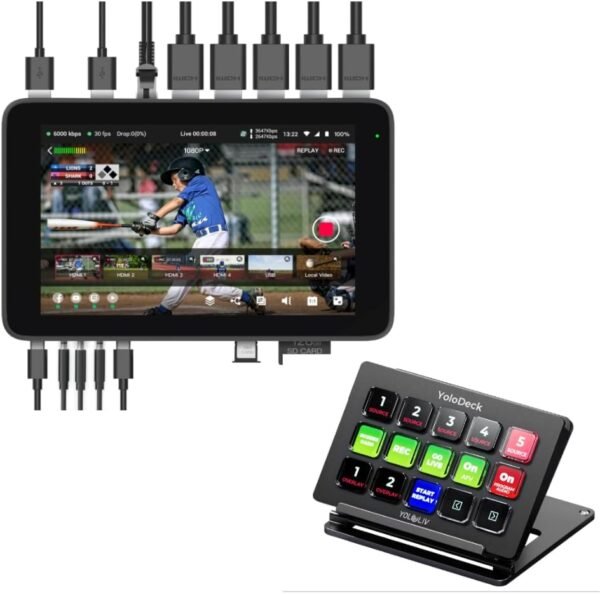
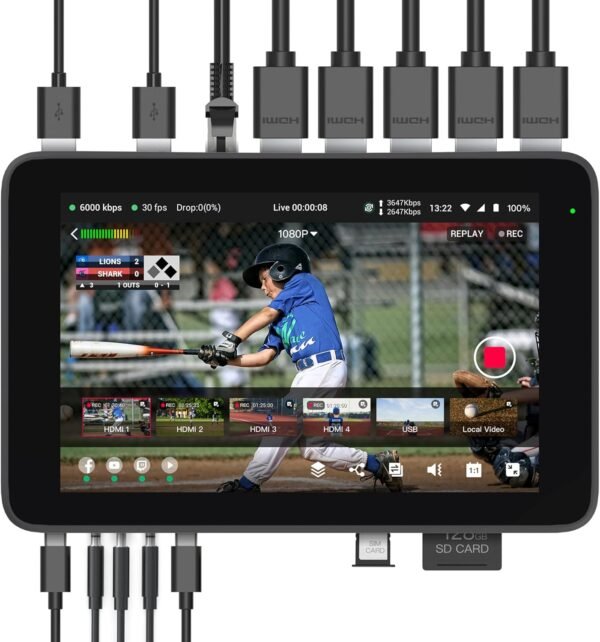
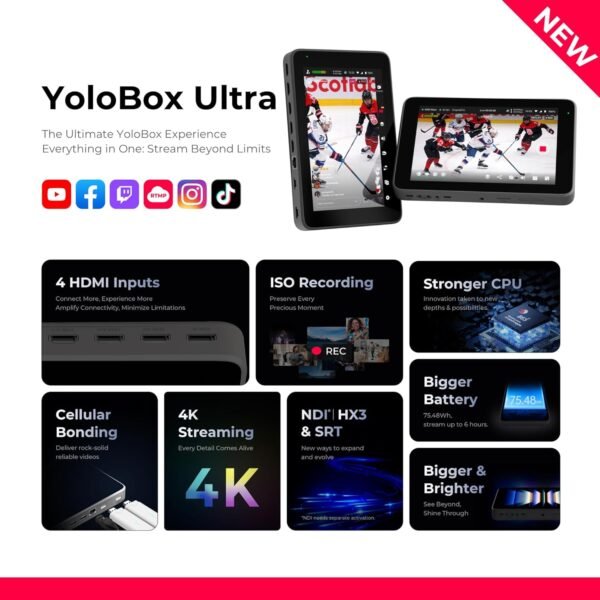
The specification that matters most on a live switcher is how many sources it can take. YOLOLIV states four HDMI inputs, two USB-A video inputs and a full featured USB-C input, supporting more than ten live sources in total. The gap between four physical HDMI ports and ten plus sources is accounted for by the things that are not cameras: still images, video playback, scoreboards, lower third graphics and overlays are all sources in a switcher’s sense.
Four HDMI inputs is the number to plan cameras around. Three cameras and a laptop, or four cameras, covers most of what a small production needs, and it is more than the two or three inputs common on smaller units in this class.
The second decisive specification is connectivity, because live streaming fails at the network far more often than at the equipment. YOLOLIV lists 4G LTE, WiFi, Ethernet and support for dual 4G dongles. That last one is the professionally important item. Two independent cellular connections can be bonded or used as failover, which is how you stream from a sports field with no wired network and still have a path when one carrier drops. A venue with reliable Ethernet does not need it. A field, a park or a hall with contested WiFi very much does.
What the fifteen LCD keys change about operating alone
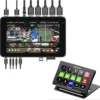
The other half of this product is the YoloDeck, a panel of fifteen customizable keys with small screens on them. On the face of it that is a convenience feature. In practice it is the difference between one person being able to run a production and needing two.
A live switch is a timing job. When the moment comes to cut from the wide camera to the close one, or to drop in a graphic, or to bring up a scoreboard, you have a second or two. Finding the control in a touchscreen menu takes longer than that. A dedicated key with a label on it does not. YOLOLIV describes one touch operation covering source switching, overlays, audio adjustment and launching a scoreboard, and mapping those to physical keys is what makes single operator production workable.
The processor is stated as a Qualcomm Snapdragon 865, which YOLOLIV cites for performance and low latency. That is a mobile phone class processor, and it is a sensible choice for a battery capable portable device that has to encode video in real time.
Living with it: the modes, and how little this listing tells you
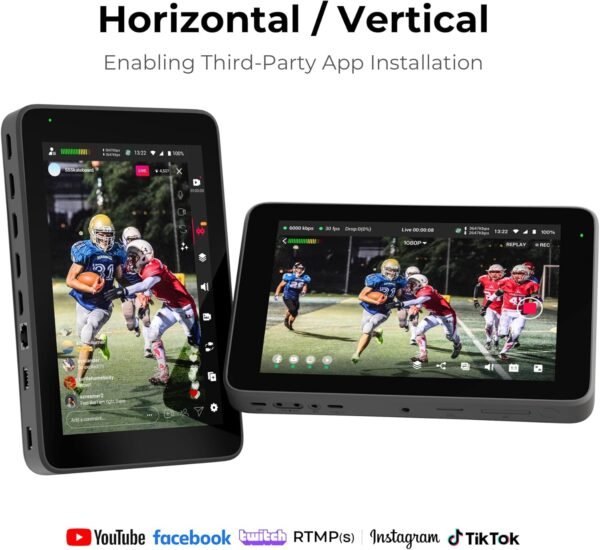
YOLOLIV describes two operating modes. Live Streaming Mode sends to up to three horizontal destinations at once, and Vertical Streaming Mode sends to two vertical destinations. Multiple simultaneous destinations is a standard requirement now, because an event usually goes to more than one platform, and vertical output exists because short form video platforms are vertical. A unit that can produce vertical natively saves reframing everything afterwards.
Three destinations at once is also a bandwidth statement. Each destination is a separate encoded stream leaving the device, so the upload requirement multiplies. That is worth planning for on a cellular connection.
Beyond those bullets, this listing publishes almost nothing. There are no dimensions, no weight, no screen size, no battery specification or runtime, no encoding bitrates, no supported frame rates, no output formats and no recording media details. For a portable production device, battery life and weight are two of the first three things a buyer needs, and neither appears. There is also no customer rating data at all, from a listing first appearing in November 2024.
One ambiguity is worth naming rather than assuming. The product title reads “YoloBox Ultra with YoloDeck”, which suggests a bundle, while the feature bullets describe the fifteen key panel as part of the product. Whether the YoloDeck is included, or whether this is a bundle listing separate from the base unit, is not stated clearly, and it is a significant part of what you are buying. Confirm it before ordering.
When a different piece of equipment fits better
Within the same family, the comparison to make is against the other YOLOLIV unit, since the range is differentiated by inputs, screen and battery rather than by concept. The YoloBox Extreme review covers the sibling model and is the natural like for like.
If you already have a computer running the production software, what you actually need is a way to get cameras into it, and a capture device is far cheaper than a switcher. The Inogeni 4K2USB3 review covers HDMI to USB capture, which is the component approach to the same problem.
If the requirement is playing video out to screens rather than producing it, that is a different device again, and the BrightSign XT244 review covers commercial playback. And if what you wanted all along was simply to watch something on a television, the BuzzTV X5 review covers a consumer box.
The category listing sits at streaming media players, and the capture and conversion hardware at video converters.
Who this is for and who should not buy it
It is for a one person or two person production team broadcasting live events away from a studio: a congregation, a school, a small sports organization, a wedding videographer. The four HDMI inputs, the dual cellular dongle support, the multi destination output and the physical key panel are all specified for that job, and together they replace a table full of separate equipment.
It is not for watching television. It is also difficult to evaluate from this listing, which publishes no dimensions, no weight, no battery runtime, no encoding specifications and no owner feedback at all. Anyone considering it should work from YOLOLIV’s own documentation and should establish first whether the YoloDeck named in the title is included.